TV Viewing Distance & Mounting Height Calculator
Find the right TV size, viewing distance, and screen mounting height for your room. Enter the measurements you already know, and the calculator will help determine the rest using TV aspect ratio, resolution, viewing posture, eye level, room depth, and horizontal Field of View.
Find the Right TV Size
Enter your existing viewing distance to estimate a practical TV diagonal for your room and preferred viewing experience.
Calculate Viewing Distance
Select your TV size to calculate a recommended eye-to-screen distance based on horizontal Field of View.
Set the Mounting Height
Calculate the screen center height using your viewing posture, eye level, and distance from the TV.
Check Room Fit and Ergonomics
Review Field of View, neck ergonomics, screen dimensions, rear-wall clearance, and the physical limits of your room.
How to Use the Calculator
Choose Your Units and Viewing Posture
Select Inches, Centimeters, or Meters, then choose how you normally watch TV: Sofa, Bed, Bar stool, or Standing.
Select the TV Format
Choose the TV aspect ratio and resolution. These values affect the available TV size presets, screen dimensions, and detail visibility.
Enter What You Already Know
Start with either the TV diagonal or the viewing distance. You do not need to enter both.
Choose What to Calculate
Use Optimal TV to calculate TV size from your viewing distance. Use Optimal Distance to calculate viewing distance from the selected TV size. Use Mount to calculate the recommended screen center height.
Refine the Room Setup
Enable Back wall consideration to add the room depth and limit the maximum possible viewing distance. Enable Lock distance with TV diagonal to keep TV size and viewing distance synchronized.
Review the Results
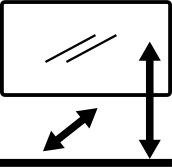
Check the visual diagram, Field of View, neck ergonomics, TV dimensions, mounting height, and copy blueprint.
Viewing distance / FOV
Select aspect ratio and either TV diagonal or viewing distance.
Neck ergonomics
Select posture and mounting data to evaluate vertical angle.